LinkedIn Professional
Make a powerful first impression on LinkedIn
Your LinkedIn profile picture is often the first thing recruiters, clients, and colleagues see. Our AI LinkedIn Professional studio transforms your existing photo into a sharp, confident headshot optimized specifically for LinkedIn and corporate profiles. No photographer needed - just upload your photo and let AI do the rest.



Example Results
See what the LinkedIn Professional studio can do. Every image below was created with AI from real uploaded photos.





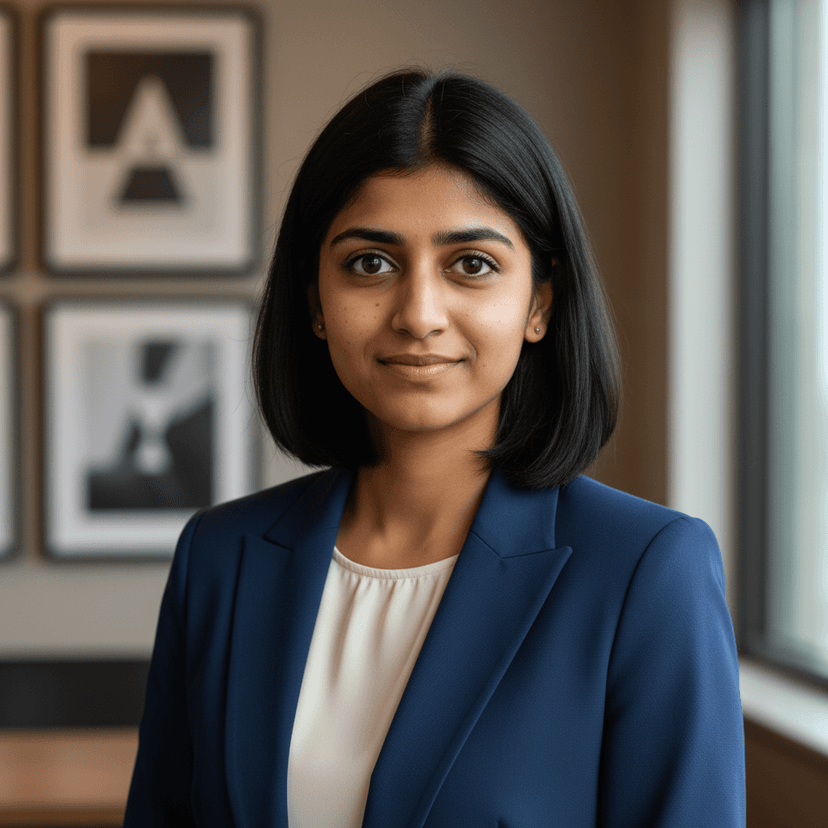
Why LinkedIn Professional?
Optimized for LinkedIn
AI-enhanced lighting, background, and framing tuned specifically for LinkedIn profile dimensions and styling expectations.
Professional Confidence
Subtle enhancements that project confidence and approachability - the qualities that get you noticed by recruiters.
Ready in Minutes
Skip the expensive photo studio. Upload your photo and receive multiple professional variations within minutes.
Multiple Variations
Get several AI-enhanced versions to choose from, so you can pick the one that represents you best.
How It Works
Three simple steps to your perfect profile picture
Upload Your Photo
Upload any clear photo of yourself. Selfies, casual shots, or existing headshots all work.
AI Enhances It
Our AI applies the LinkedIn Professional style - optimizing lighting, background, and composition.
Download & Use
Choose from multiple AI-generated variations and download your favorites instantly.
Frequently Asked Questions
How does the AI LinkedIn profile picture studio work?
Upload any clear photo of yourself. Our AI analyzes your features and generates professional headshot variations with optimized lighting, backgrounds, and framing suited for LinkedIn profiles.
Will my LinkedIn photo look natural?
Yes. Our AI produces realistic, professional results. The enhanced photos look like they were taken by a professional photographer - not AI-generated.
What kind of photo should I upload?
Any clear photo where your face is visible works well. Front-facing photos with decent lighting produce the best results, but the AI can work with a wide range of input quality.
How much does it cost?
Each enhancement costs 1 credit. New accounts start with free credits, and you can purchase more or subscribe for monthly credits.
Ready to Transform Your Profile Picture?
Try the LinkedIn Professional studio free. Upload your photo and get AI-enhanced results in minutes.